Setting Up Your Library
Signing Up
How to create your First Chapter Co. account and get your library live in minutes.

Creating your library takes about two minutes and happens entirely on our homepage. There is no app to download and no password to invent. Just visiting a family library? You do not need to sign up at all. Anyone can open a family's link and browse their shelf without an account. Signing up is only for families who want a library of their own.
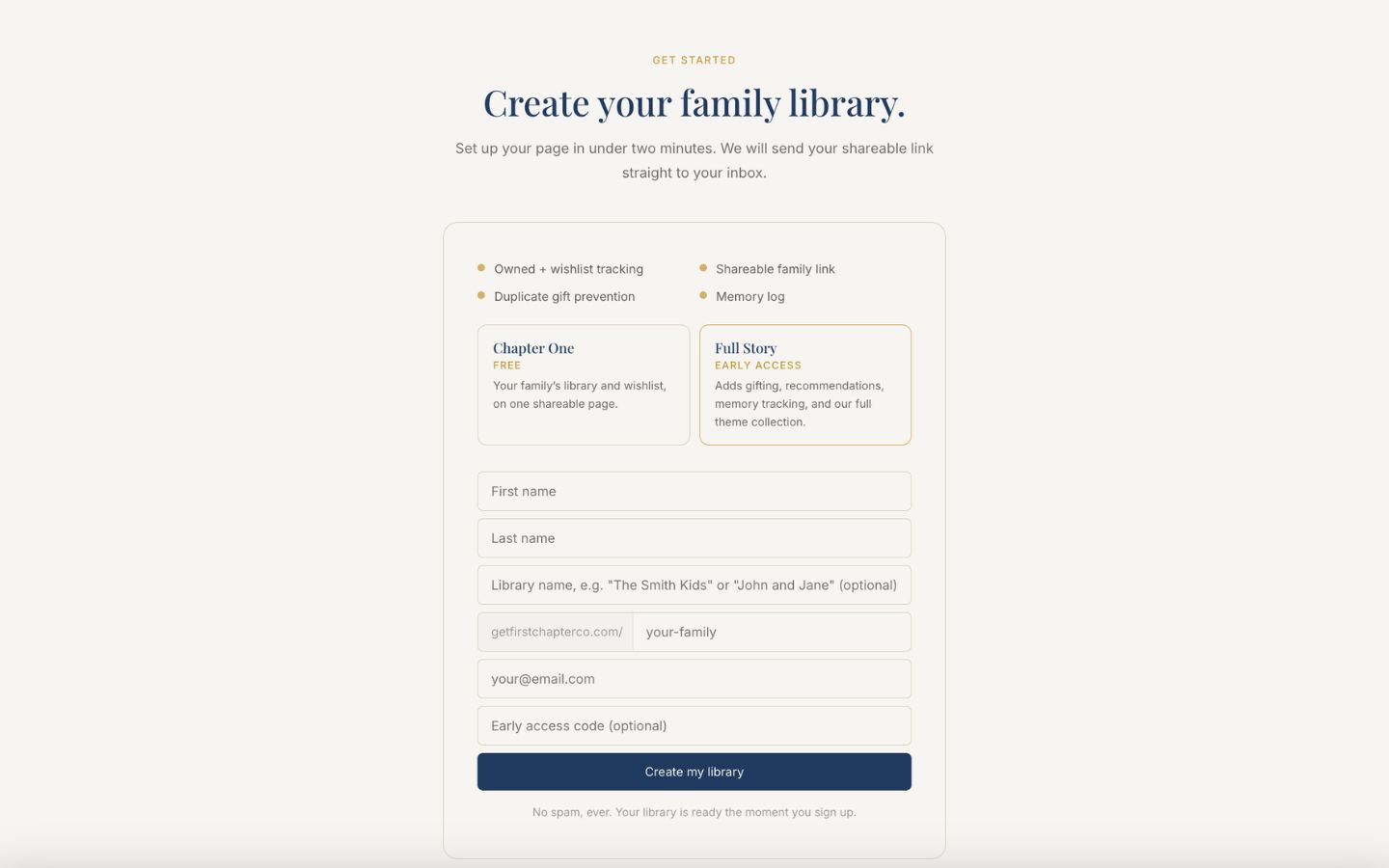
Go to getfirstchapterco.com and click "Get started," or scroll to the bottom of the page.
Enter your first and last name.
Optionally, give your library a display name like "The Smith Kids." The preview shows how it will greet visitors, and you can change it anytime in settings.
Choose your family link, or leave it blank to use your last name.
Enter your email address. This becomes your manager login, and it is where we send your library link.
If you have an early access code, enter it to unlock our Full Story plan. No code? Leave it blank to start free with Chapter One.
Click "Create my library." Your page is live immediately, and a welcome email with your link is on its way.