Setting Up Your Library
Setting Your Family Link at Sign Up
Your family link is permanent once created. Here is how to choose it wisely.

Your family link is the web address everyone will use to visit your library, like getfirstchapterco.com/the-smiths. You choose it once at signup, so it is worth a moment of thought.
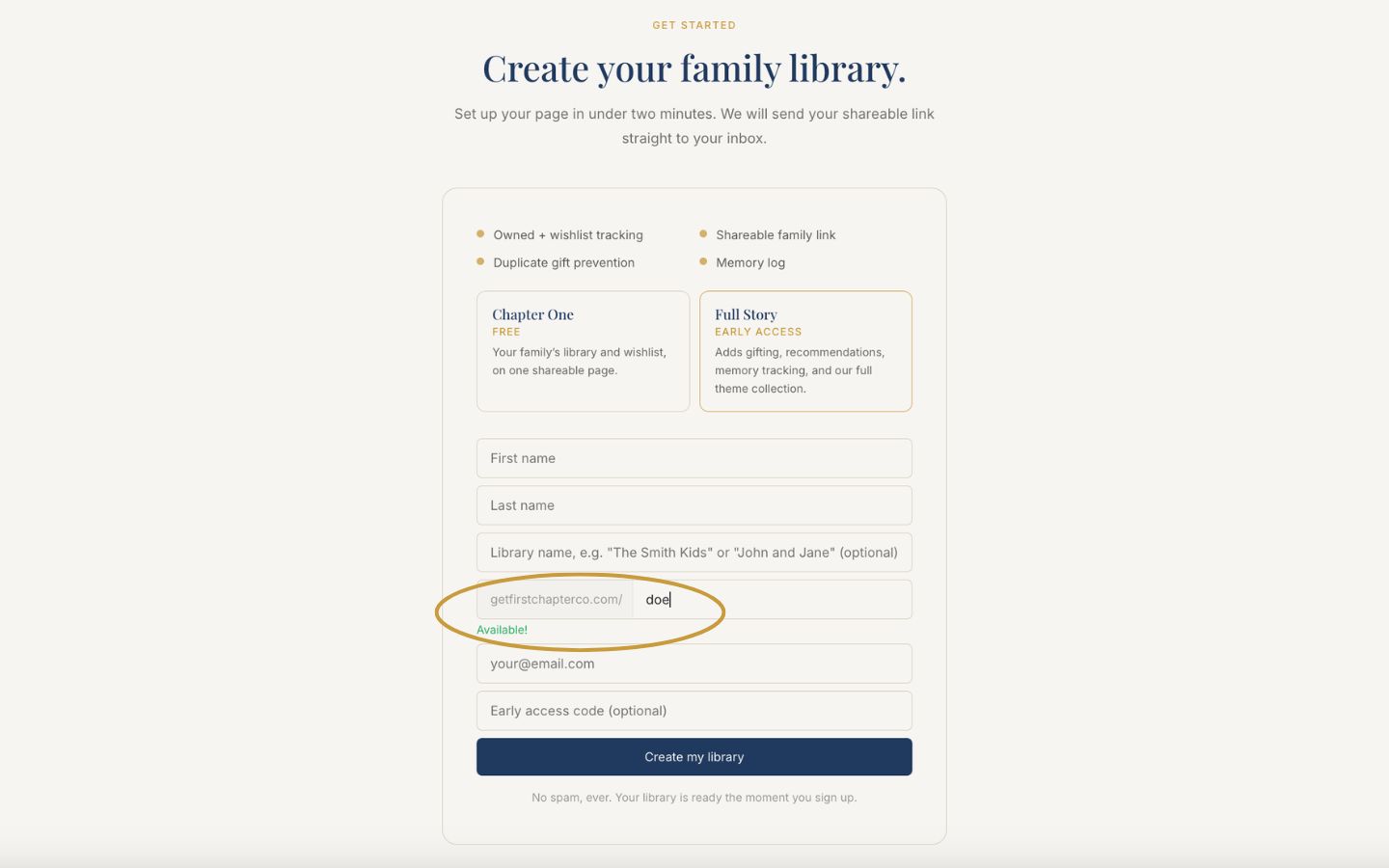
On the signup form, find the box that starts with getfirstchapterco.com/.
Your last name fills in automatically as you type it, so this box is never empty. The line just underneath tells you right away whether that link is free.
To use something different, edit the box. Use letters, numbers, and hyphens. Spaces turn into hyphens on their own.
Watch just below the box: a green "Available!" means it is yours. If it is taken, try variations until you see green.
Finish signing up. Your link is locked in and ready to share.
Good to know
Choose something easy to say out loud, since you will be sharing it at birthday parties and holiday dinners. Short and simple beats long and clever.