Managing Your Books
Finding and Sharing Your Library Link
Copy your unique library link and share it with anyone you want to see your shelf.

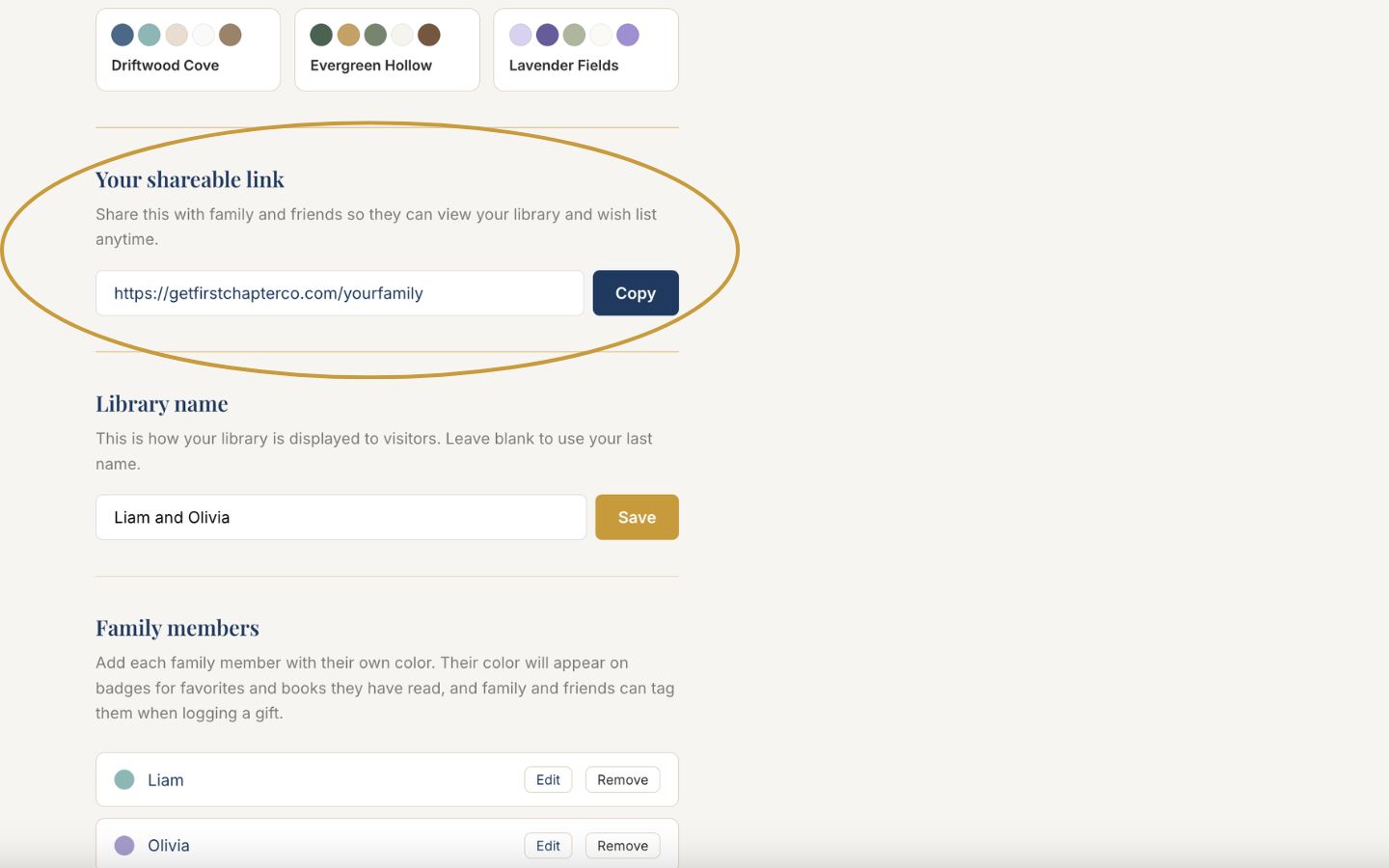
Your library lives at one simple address: getfirstchapterco.com/your-family. Anyone with the link can visit. No account, no app, no password.
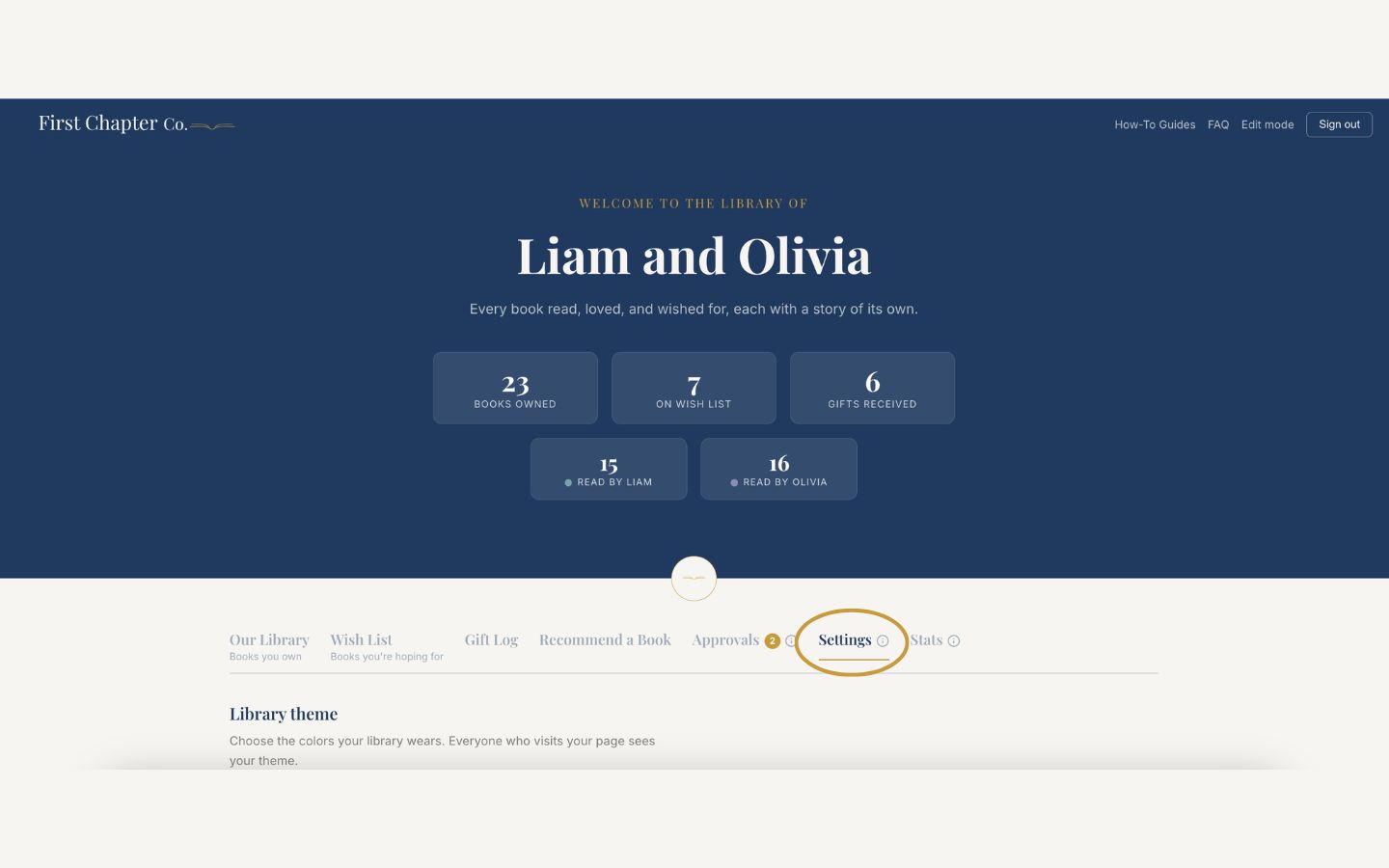
Log in and open the Settings tab.
Scroll to "Your shareable link" and click the "Copy" button beside it.
You can also simply open your library in a browser and copy the address from the address bar.
Send it however your family communicates: text, email, or the group chat.
That is it. Visitors see your library and wish list instantly, and the link never changes, so they can save it for every future occasion.
Good to know
A quick text a few weeks before a birthday ("here is what the kids are loving and hoping for") does all the gift coordination for you.