Gifts, Memories, and Settings
Choosing a Theme for Your Library
Change your library's entire look with one click from your settings tab.
Full Story feature

This feature is part of the Full Story plan.
Themes change the colors and personality of your whole library, for you and every visitor. Our full theme collection is part of the Full Story plan; Chapter One libraries use our classic Storybook look.
1
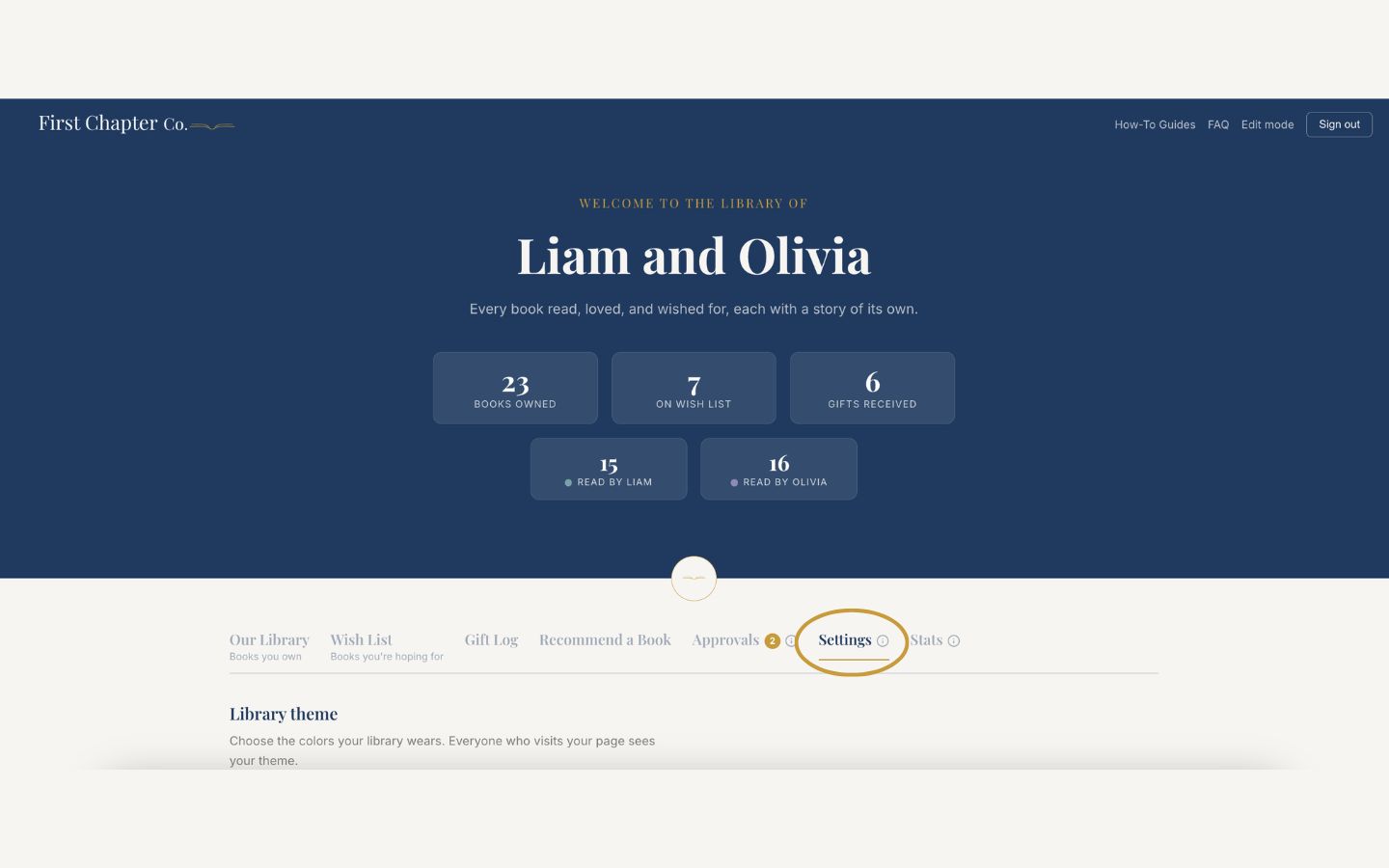
Log in and open the Settings tab.
2
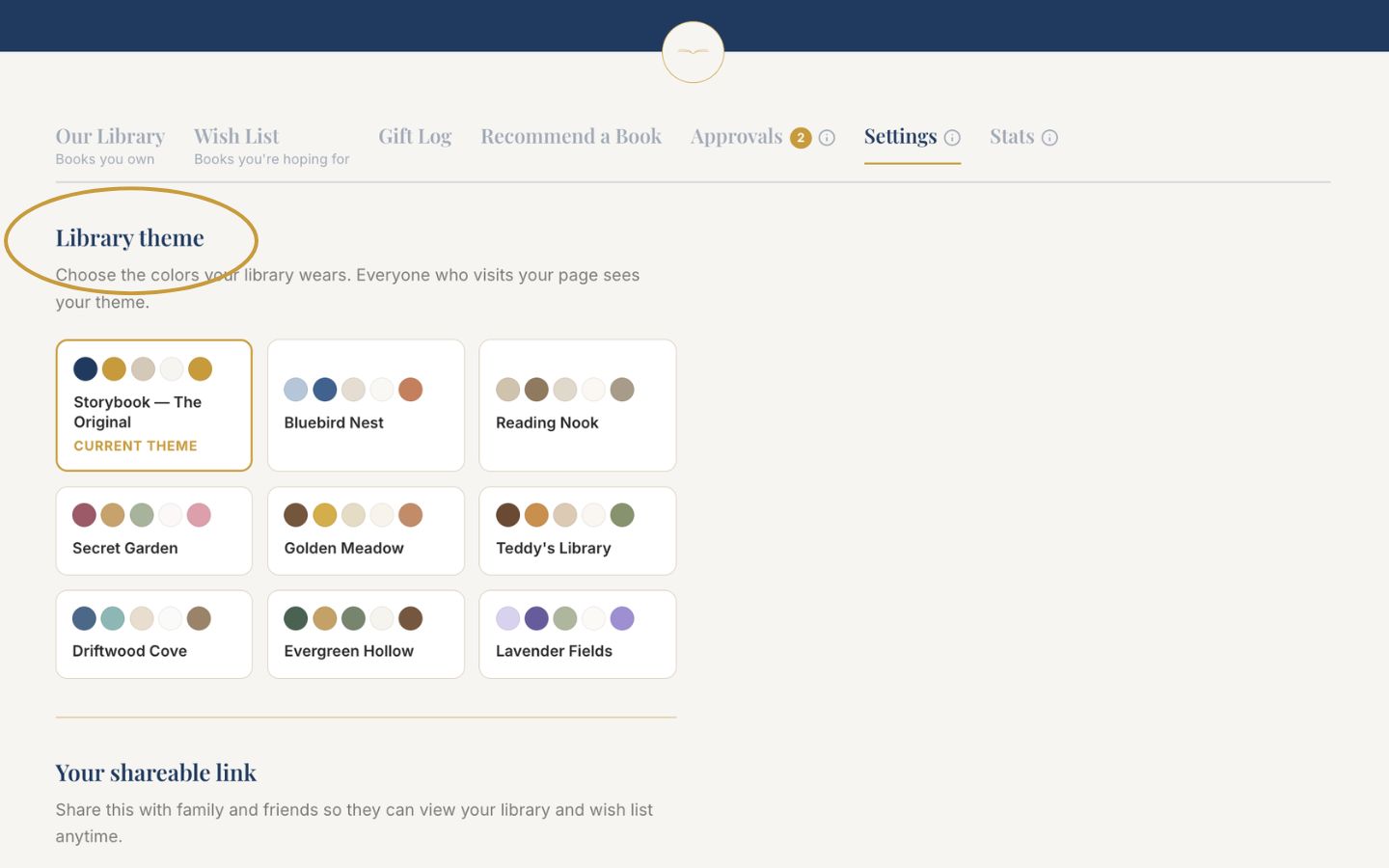
Find the theme picker and browse the collection.
3
Click a theme to apply it. The change takes effect immediately for everyone who visits your page.
Good to know
Themes are purely cosmetic. Switching never touches your books, wish list, or gift history, so feel free to redecorate seasonally.